All-day weather
12 hourly icons, a temperature curve and rain bars. Rain or snow starting becomes an event.
From recording and organizing to looking back and sharing — here’s everything What a Day does.
Includes previews of planned features. Week/month/year review, day replay and the full Watch experience are still in development. Refer to the current app for availability.
One set of records, two ways to see them. Week strip on top: pull down for the month, long-press to pick a year, swipe to change weeks.
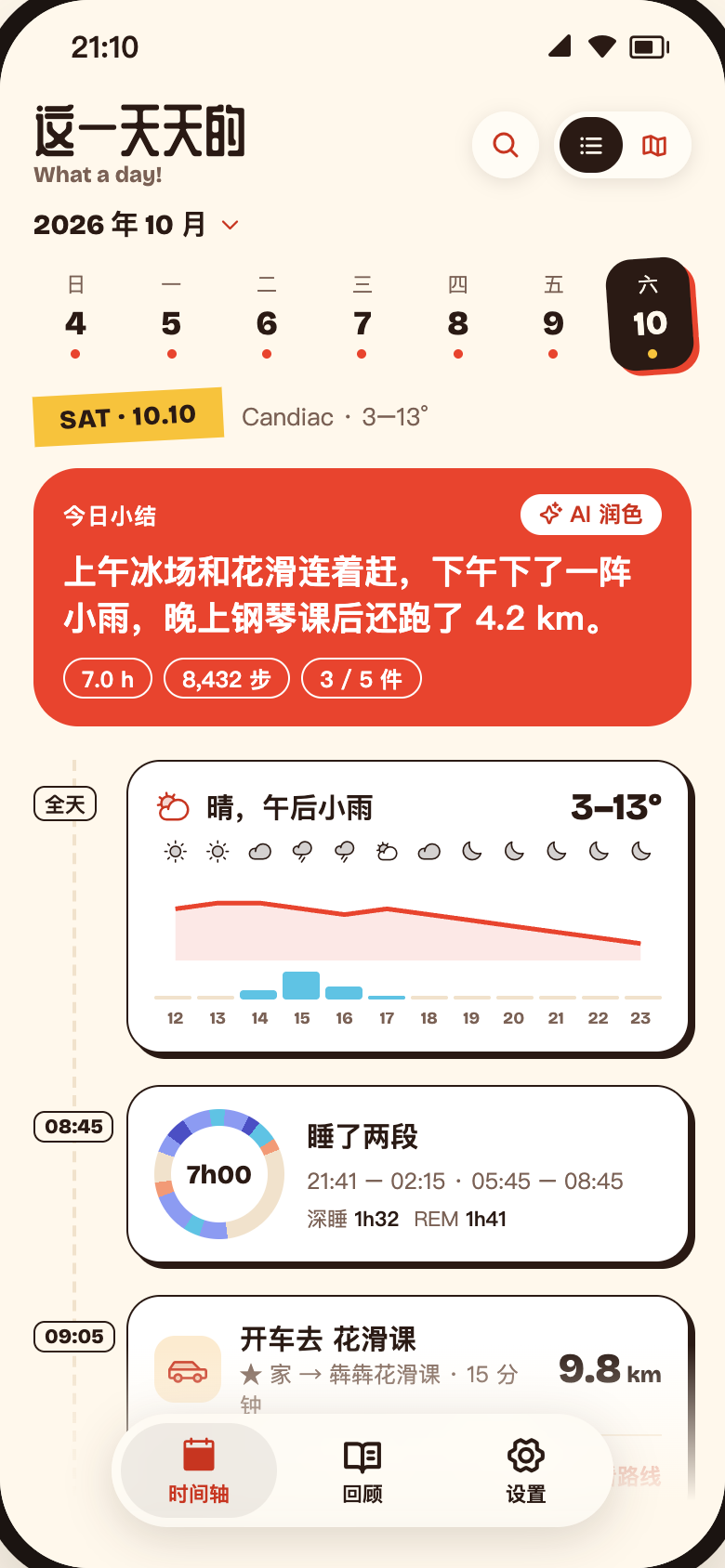
12 hourly icons, a temperature curve and rain bars. Rain or snow starting becomes an event.
Every sleep segment on one 24-hour dial, with start, end, deep and REM.
Transport detected automatically; from → to, duration, distance, songs.
Photos and videos from one moment combine into a single collage card.
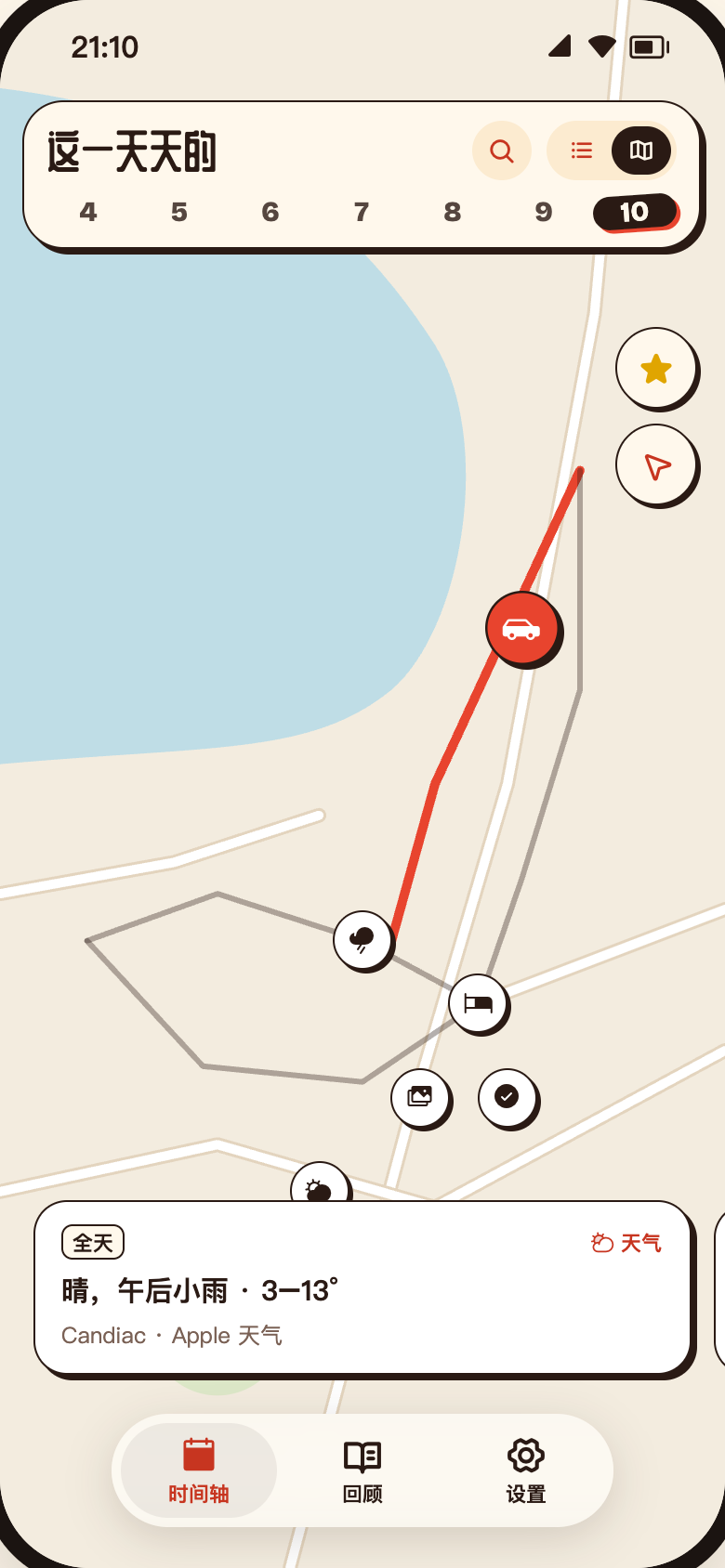
A pin for every event. Swipe the card carousel and the map follows.
Star the places you go often and see every visit.
Every card opens into a detail view. Thought of something? Jot it down.
Dial, stage lanes, time and share per stage, compared with your 7-day average.
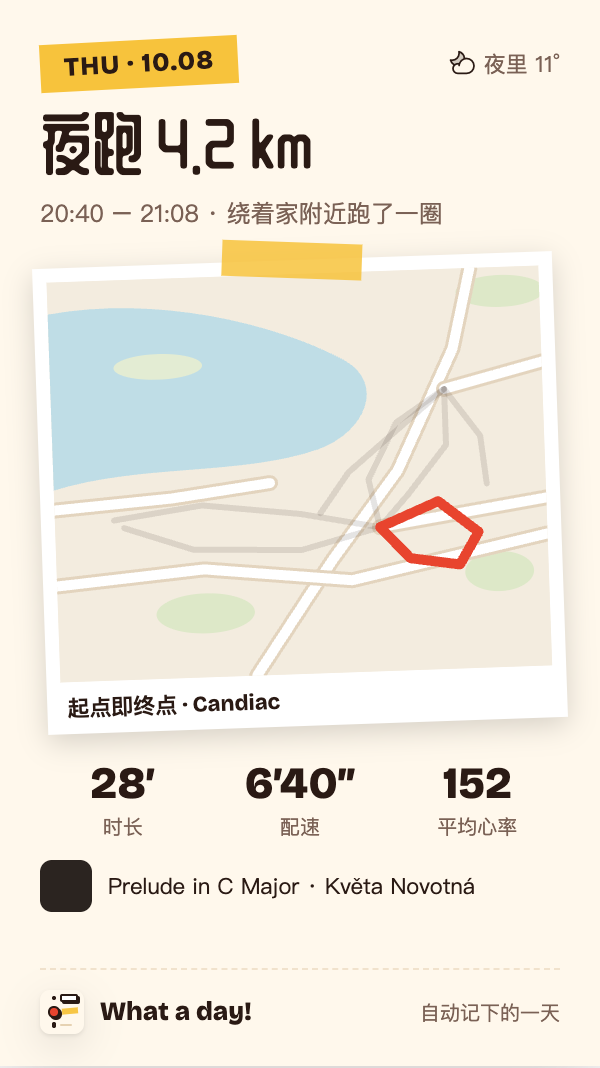
Route, pace, heart rate by minute — plus the weather and your songs.
How long you stayed, how many times you’ve been, photos and notes.
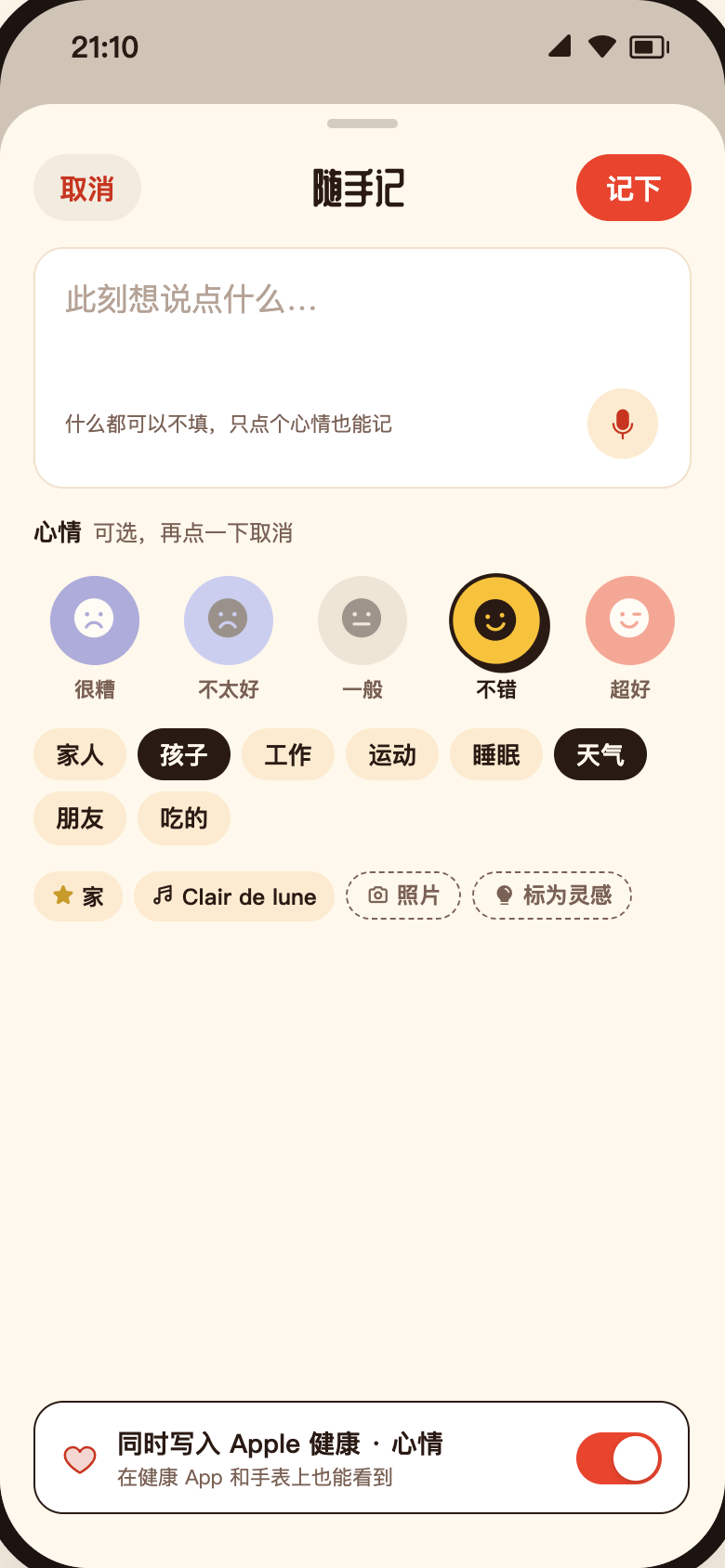
Moods, one-liners and ideas, with photos. Or just tell Siri.
A sentence about your day, every day. Edit it right in place.
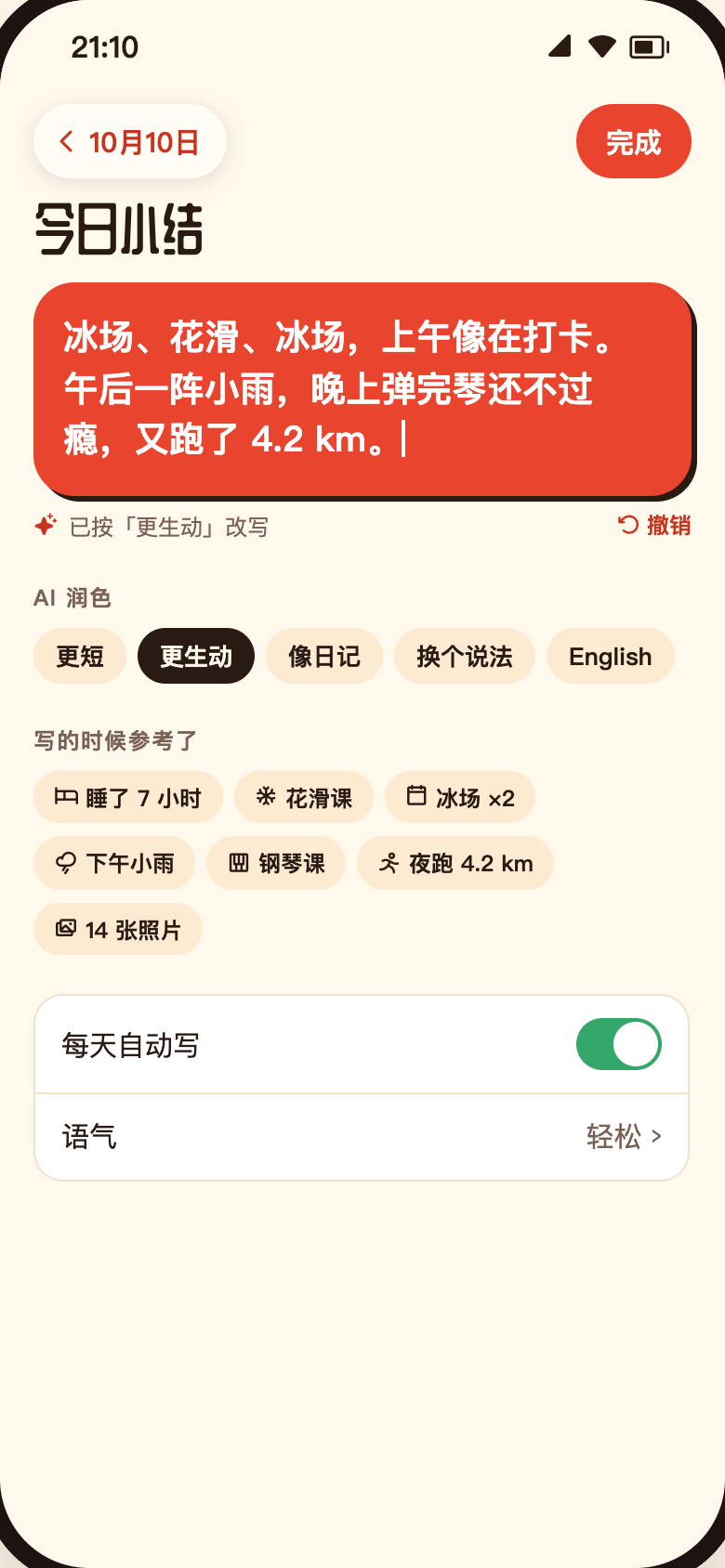
Shorter, more vivid, like a diary, rephrase, or another language.
Jump back to the previous version; nothing is saved until Done.
See which facts were used, and tap to leave any out.
Generated with Apple Intelligence on your device. Auto-write can be turned off.
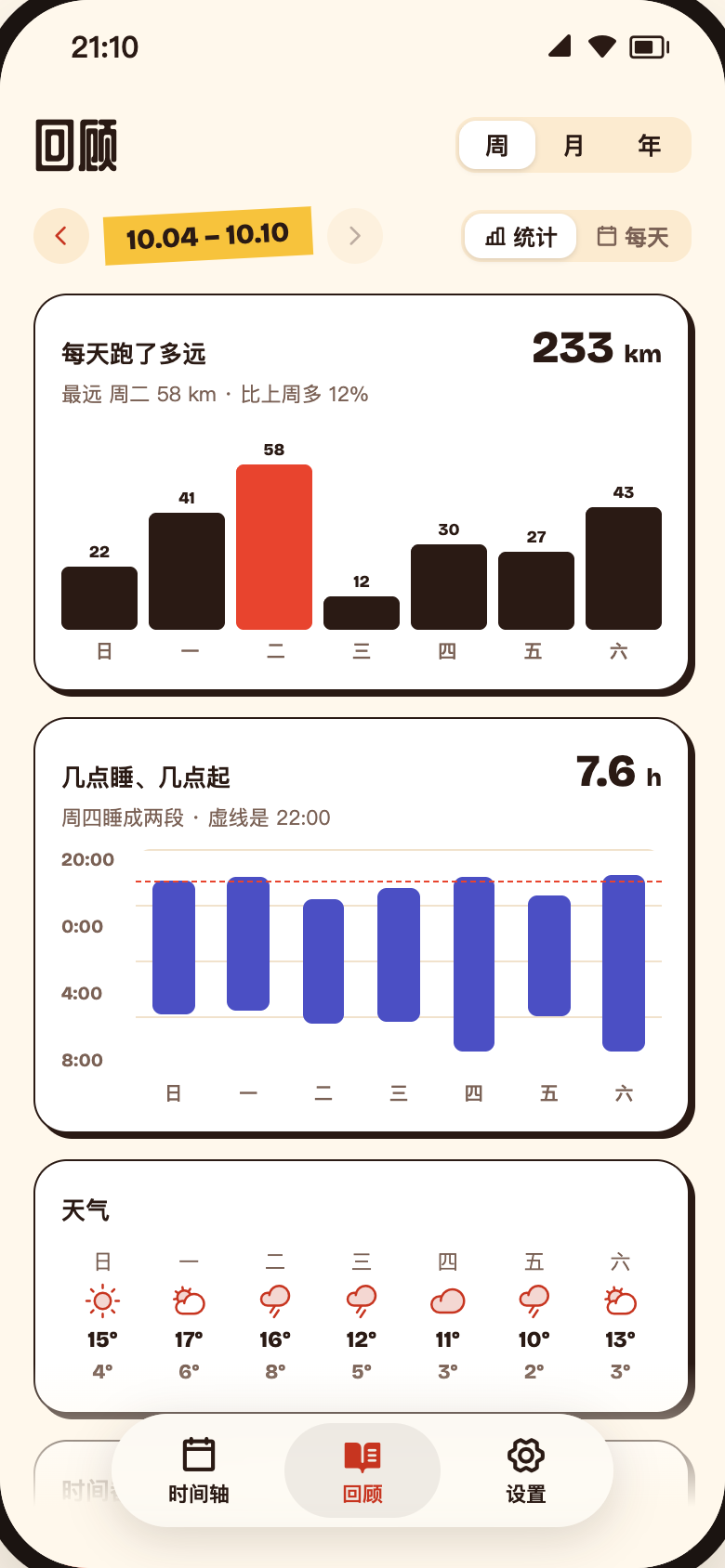
Search doubles as filters. Review is for stats and looking back.
Combine text, type, date, place and mood; view results on the map.
Distance, sleep windows, weather, time spent, mood grid.
One square a day, a photo as the cover, mood along the bottom.
Free shows the last 7 days; Plus goes back to any day.
Create one from the top-right of any detail view — or turn a whole day into a receipt, a zine, a postcard or a contact sheet.
Weather, sleep, activity, workouts, trips, visits, notes — several styles each.
Map, path only, or hidden. Home is trimmed automatically.
Walk through the day with music; export as video with Plus.
Receipt, zine, postcard, contact sheet.
Glanceable without opening the app. On bigger screens: timeline on the left, details or map on the right.
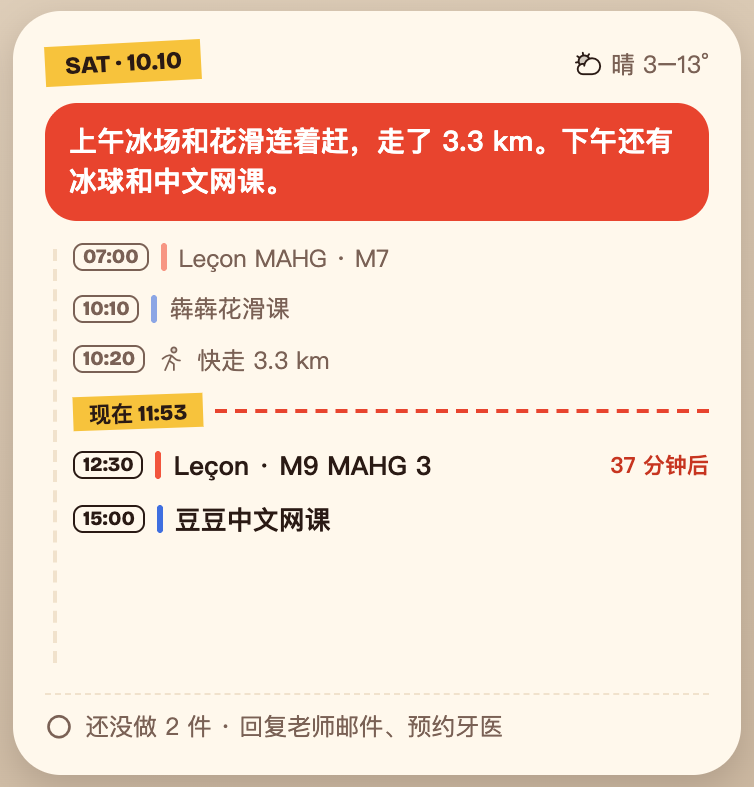
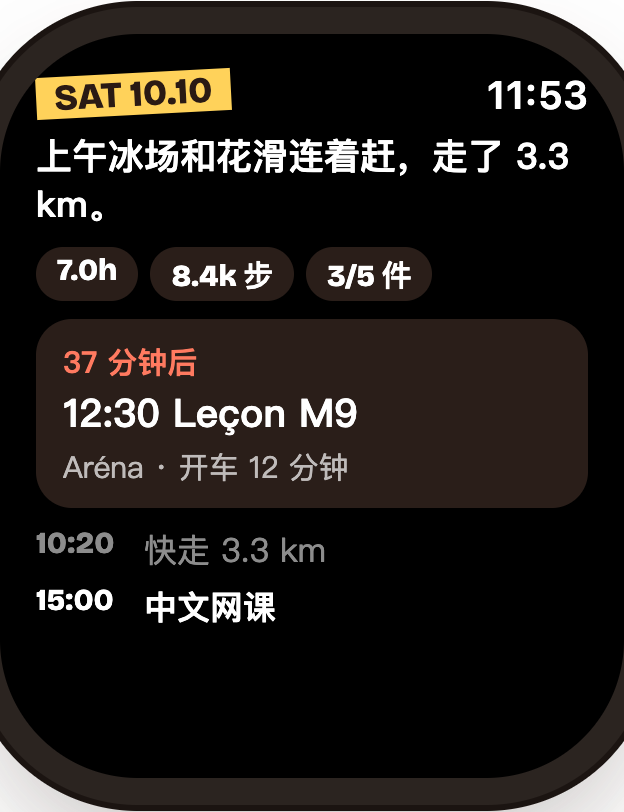
Timeline, weather, sleep, up next — small to extra large, including portrait.
Sleep, weather, events and timeline, clear even in monochrome.
Today, sleep, places and weather — plus complications.
Two-column layout; in map mode, details rise from the bottom without covering the timeline.
Pick a palette in Settings. Light and dark follow the system, or choose one yourself.